
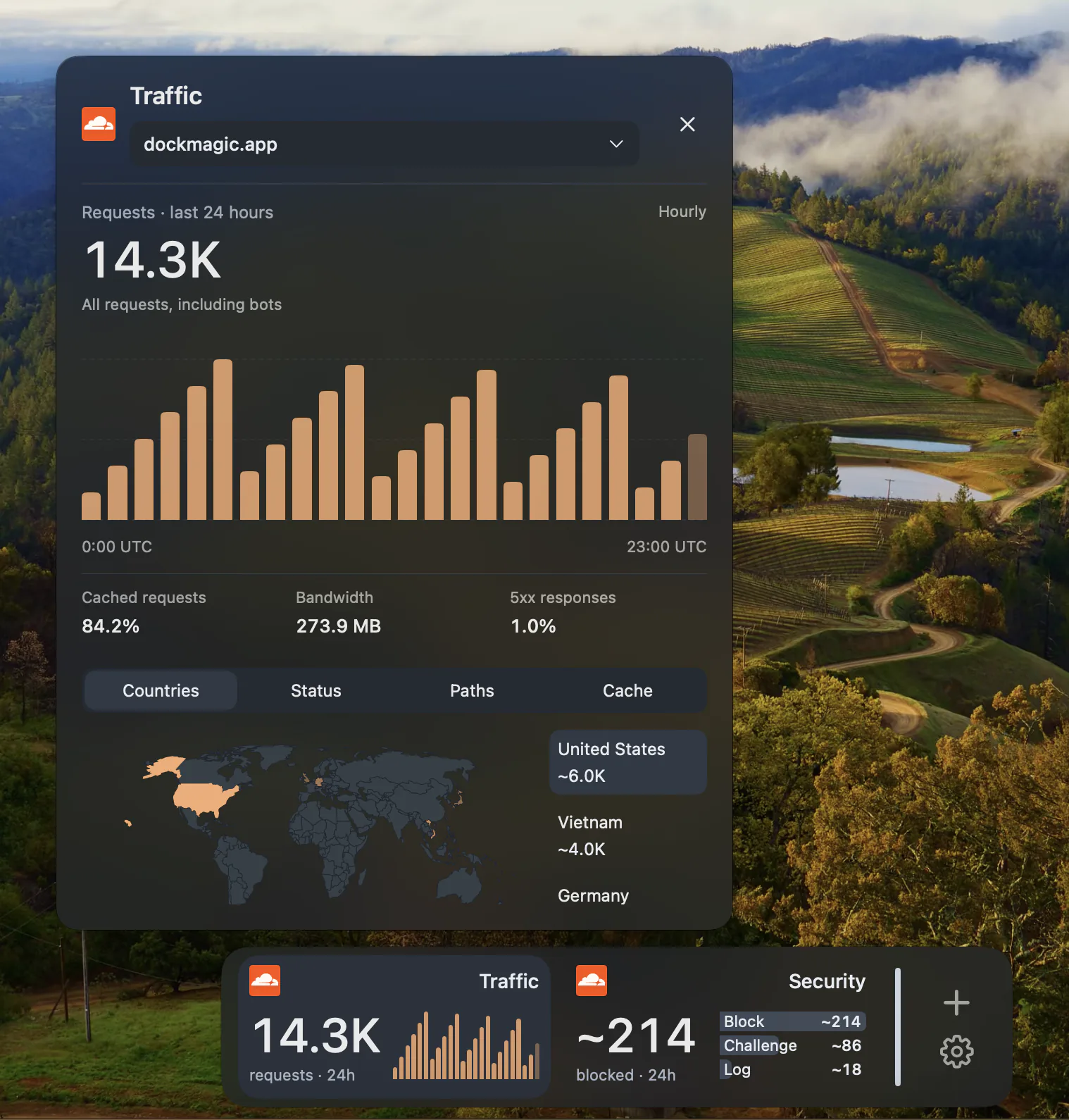
10 widgets, one connection.
Traffic shows a 5-minute overview of requests. Live displays 1-minute request activity. Trend tracks hourly requests. Security shows 15-minute security actions. Health reports origin reachability, server errors, traffic spikes, attack detection, certificate status, network issues, health checks and tunnels. Errors and Threats show recent issues. Protection displays SSL mode and Under Attack Mode status. Alerts lists Cloudflare notifications and platform incidents. Vitals shows Core Web Vitals (LCP, INP, CLS) at p75. All read-only.
macOS notifications for what matters.
DockMagic sends macOS notifications for outages (origin down or degraded), attacks (detected security threats), and SSL certificate issues: expiring in 7 days, expiring in 1 day, SSL mode off, or Flexible SSL mode. Certificate warnings help you renew before expiry. Notification groups can be muted individually, and you can review the notification history in the Alerts widget.
Core Web Vitals in your Dock.
The Vitals widget shows Largest Contentful Paint (LCP), Interaction to Next Paint (INP), and Cumulative Layout Shift (CLS) at the 75th percentile for your zone. Track real user performance without opening the Cloudflare dashboard. Availability depends on your Cloudflare plan and whether Web Analytics is enabled for the zone.
Why this matters for makers and developers.
If you run a site on Cloudflare, you want to know when it's under attack, when your origin goes down, or when your SSL certificate is about to expire — without keeping the Cloudflare dashboard open. DockMagic brings that awareness to your Mac. CoolDock and Hatoba (the main competitors) have no Cloudflare widgets. This is DockMagic's strongest differentiator.
Understand plan limits and sampling.
The data available depends on your Cloudflare plan, dataset retention, and query limits. Some results are sampled or show only returned security logs, not a complete count. The widget displays coverage notices when applicable. Read Cloudflare's sampling documentation for details.
Read-only OAuth connection.
In DockMagic Settings, open Cloudflare and choose Link Cloudflare account. Complete OAuth sign-in and review the read-only scopes. DockMagic cannot change DNS, caching, SSL settings, or firewall rules. Your credentials are stored in macOS Keychain. Reconnect in Settings if the token expires.
Questions
Does any other Dock app have Cloudflare widgets?
No. As of November 2026, CoolDock has Plausible, Supabase and GitHub analytics, but not Cloudflare. Hatoba does not list any Cloudflare integration. DockMagic is the only Dock app with native Cloudflare widgets.
Will I get notified if my site goes down?
Yes, if DockMagic is running and can reach Cloudflare's API. Notifications fire when Health detects an origin issue or Cloudflare reports an incident. This is not an external 24/7 monitoring service; notifications depend on your Mac being on and DockMagic being open.
What Cloudflare plans are supported?
All plans are supported, but available data varies. Free plans have access to basic analytics; Pro, Business and Enterprise plans unlock more datasets, longer retention and higher query limits. The widgets show what your plan allows.
Can DockMagic change my Cloudflare settings?
No. The OAuth connection is read-only. DockMagic can view analytics, health and alerts, but it cannot modify DNS, caching, SSL mode, firewall rules, or any other Cloudflare configuration.