
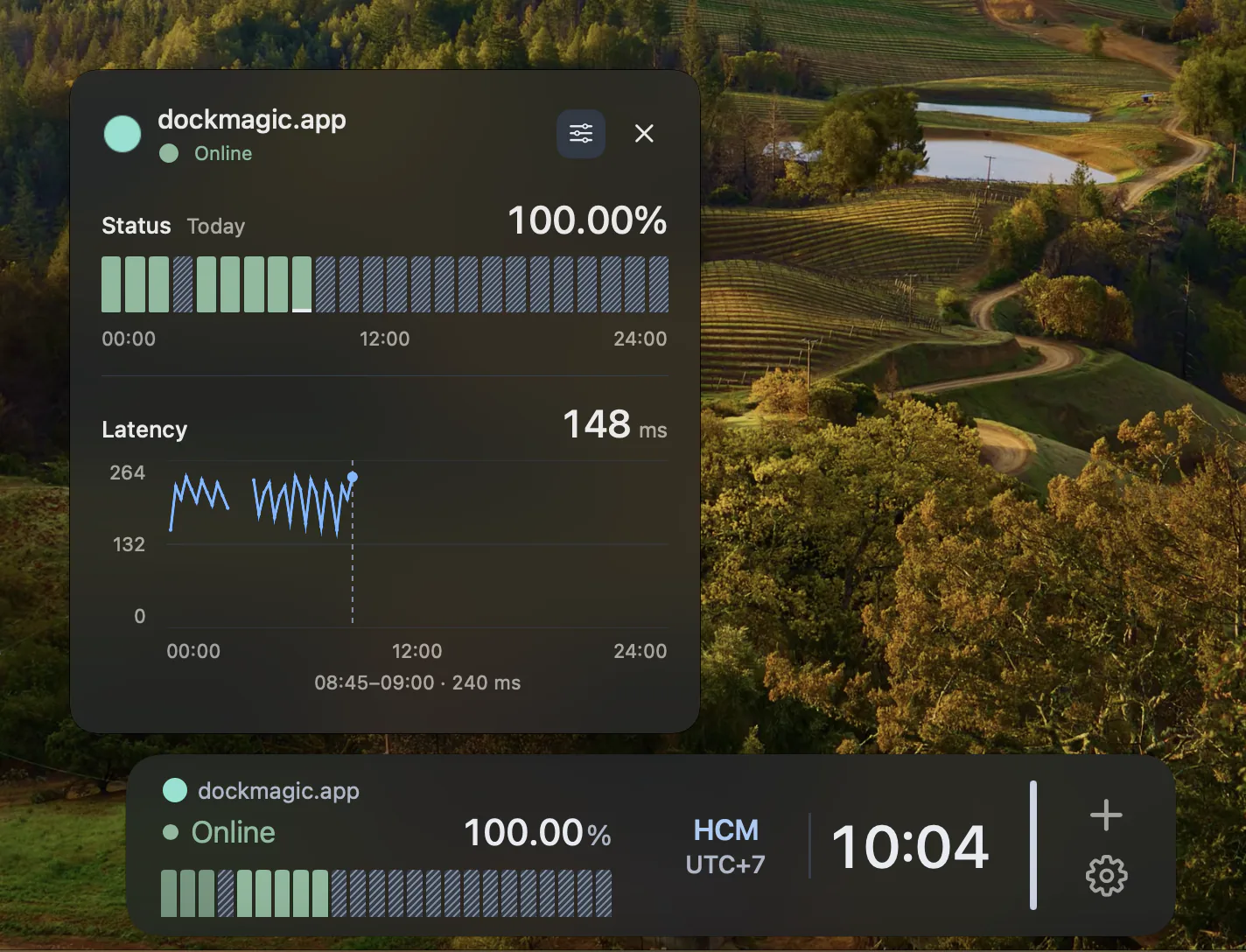
Availability, response time and SSL certificate.
The Website Monitor Widget checks an HTTPS site from your Mac and shows three things: operational status (Operational, Degraded, or Down), response-header time in milliseconds, and SSL certificate status. Certificate states: Valid, Expiring (within 30 days), Urgent (within 7 days), Expired, Mismatch (domain name doesn't match), or Untrusted (certificate chain issue). This is context while you work, not a 24/7 external monitoring service.
Know before your certificate expires.
SSL certificate expiry is a common oversight that can take a site offline with browser warnings. The Website Monitor checks your certificate's expiry date every time it pings the site and warns you when renewal is due. Expiring status appears 30 days before expiry, Urgent appears 7 days before. This gives you time to renew without an outage.
Why this matters.
If you run a small site or side project, you might not have (or want) a separate uptime monitoring service. Keeping a Website Monitor widget in your Dock gives you passive awareness: a glance tells you the site responded and the certificate is valid. If something changes, you see it without opening a dashboard. This widget is free and requires no account or trial.
Response-header time is not page load time.
Response-header time measures how long it takes to receive HTTP headers. It does not include downloading the full page, running JavaScript, loading images, or client-side rendering. Use browser dev tools or a performance monitoring service for full page-load metrics.
Checks run from this Mac, not globally.
The check originates from your Mac's network connection. A failed check can mean the site is down, your network is offline, or there's a path issue between you and the site. It's a signal to investigate, not proof that every visitor is affected. For multi-location checks, alerts, and 24/7 coverage, use an external monitoring service like UptimeRobot, Pingdom, or Cloudflare's health checks.
Combine with Cloudflare widgets.
If your site is on Cloudflare, pair the Website Monitor with Cloudflare's Health widget for origin checks and the Alerts widget for certificate warnings. This gives you both your site's public HTTPS status and Cloudflare's edge analytics in one Dock.
Questions
Is this free?
Yes. The Website Monitor widget is part of the free tier. You can monitor as many HTTPS sites as you have space for in your Dock, without a license or trial.
Will it alert me if my site goes down?
DockMagic does not send push notifications for website status changes. The widget updates its status each time it checks, and you see the change when you look at your Dock. For active alerts (email, SMS, Slack), use an external monitoring service.
Does it work with HTTP (non-HTTPS) sites?
No. The Website Monitor only supports HTTPS. SSL certificate checking requires HTTPS. If you need to monitor an HTTP site, you'll need a different tool.
How often does it check?
The check interval depends on the widget's refresh settings. Typical intervals are every 1, 5, or 10 minutes. Checks pause when DockMagic is quit or your Mac is asleep.