
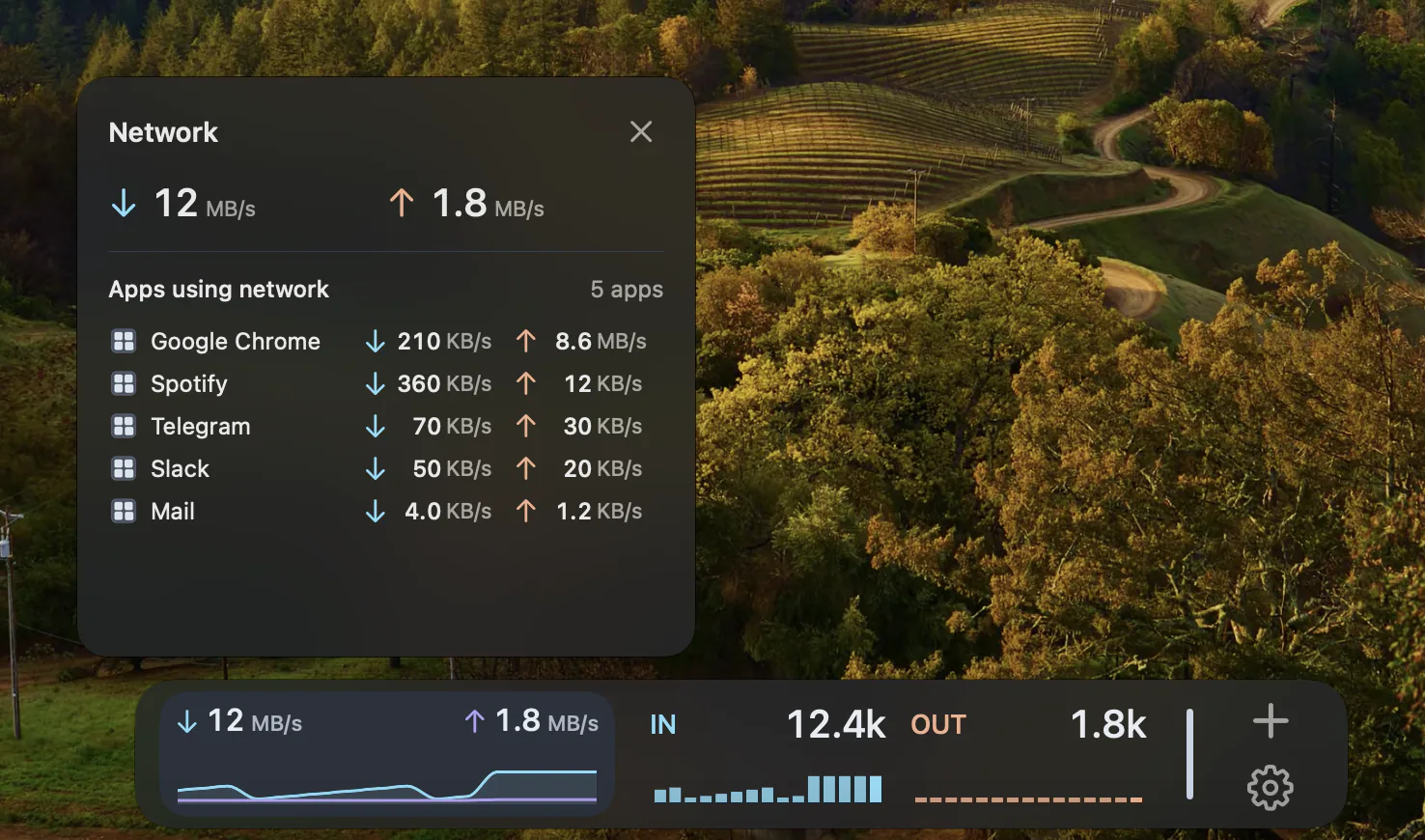
Watch the work already happening.
An upload, download or sync can change the traffic passing through your Mac. Network Widgets show that activity so you can glance at it without keeping a separate monitoring window open. A quiet reading can simply mean that little data is moving at that moment.
Choose the view that fits.
The Network Feature offers Beacon, Area, Column, Stacked and Flow styles. Pick the presentation you find easiest to read, then place it alongside other Widgets. These are different views of network activity, not separate network services.

Traffic is not a speed test.
A traffic reading measures data moving while you use your Mac. A speed test creates traffic to estimate available connection capacity. DockMagic’s Network Widgets are for observing traffic; they do not measure your internet plan’s maximum speed.
A view from this Mac.
The readings concern your Mac’s active physical interfaces. They are not a router-wide total for all devices, and they do not identify every remote service involved. Use Activity Monitor when you need macOS process-level detail.
Questions
Does a low reading mean my internet is slow?
No. Low current traffic can mean your Mac has little to send or receive. Use a separate speed test if your question is available connection capacity.
Can I see traffic from every device on my Wi-Fi?
No. This Feature observes traffic on this Mac’s active physical network interfaces. It is not a network-wide device monitor.