
Widgets on the desktop.
Control-click the desktop and choose Edit Widgets to open the macOS widget gallery. Add the widgets offered by your apps and system. This is the built-in option when you want widgets arranged across the desktop; Notification Center offers another place to keep them.
A reading in the Apple Dock.
For a compact CPU view, open Activity Monitor and choose View → Dock Icon, then a CPU display option. This uses Activity Monitor’s own icon in the Apple Dock. You do not need a separate Widget Dock for this built-in reading.
Your own Widget Dock.
DockMagic is a native macOS app with an independent Dock. Choose and arrange Widget styles for the Features you use, including System, Network, Clock, Calendar and Cloudflare. The illustrated catalog previews a selection of styles; release notes describe the published app.

Choose by workflow.
For a quick CPU check, start with Activity Monitor. For widgets on the desktop or in Notification Center, start with Apple’s gallery. For selected readings and controls together at the bottom, left or right edge, explore DockMagic. DockMagic does not turn Apple desktop widgets into its own Widgets or replace the Apple Dock.
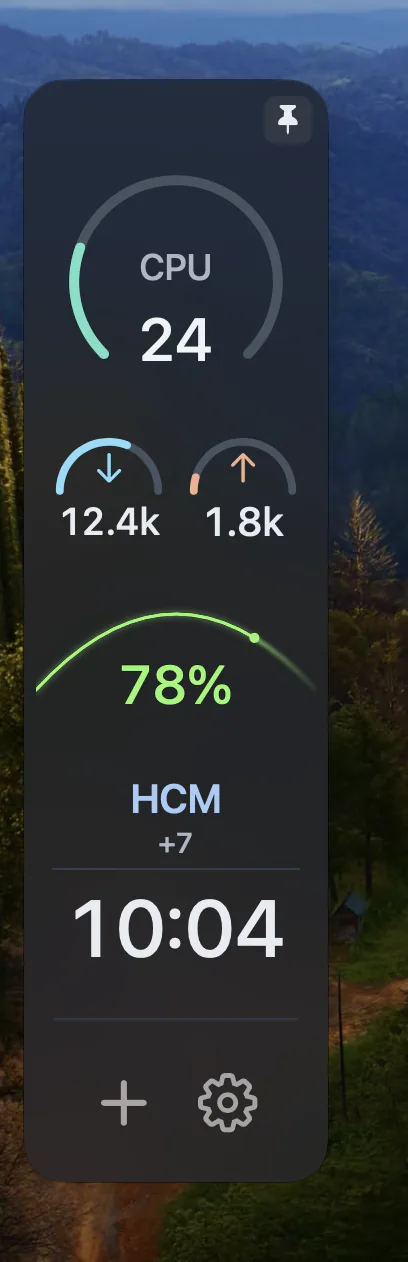
Check compatibility and setup.
DockMagic 1.0 requires macOS 14.0 or later. Download the disk image, drag the app into Applications and launch it. Settings, Show Dock and Quit are in its menu bar menu. Read Apple’s widget instructions for built-in setup and DockMagic’s release notes for its requirements.